
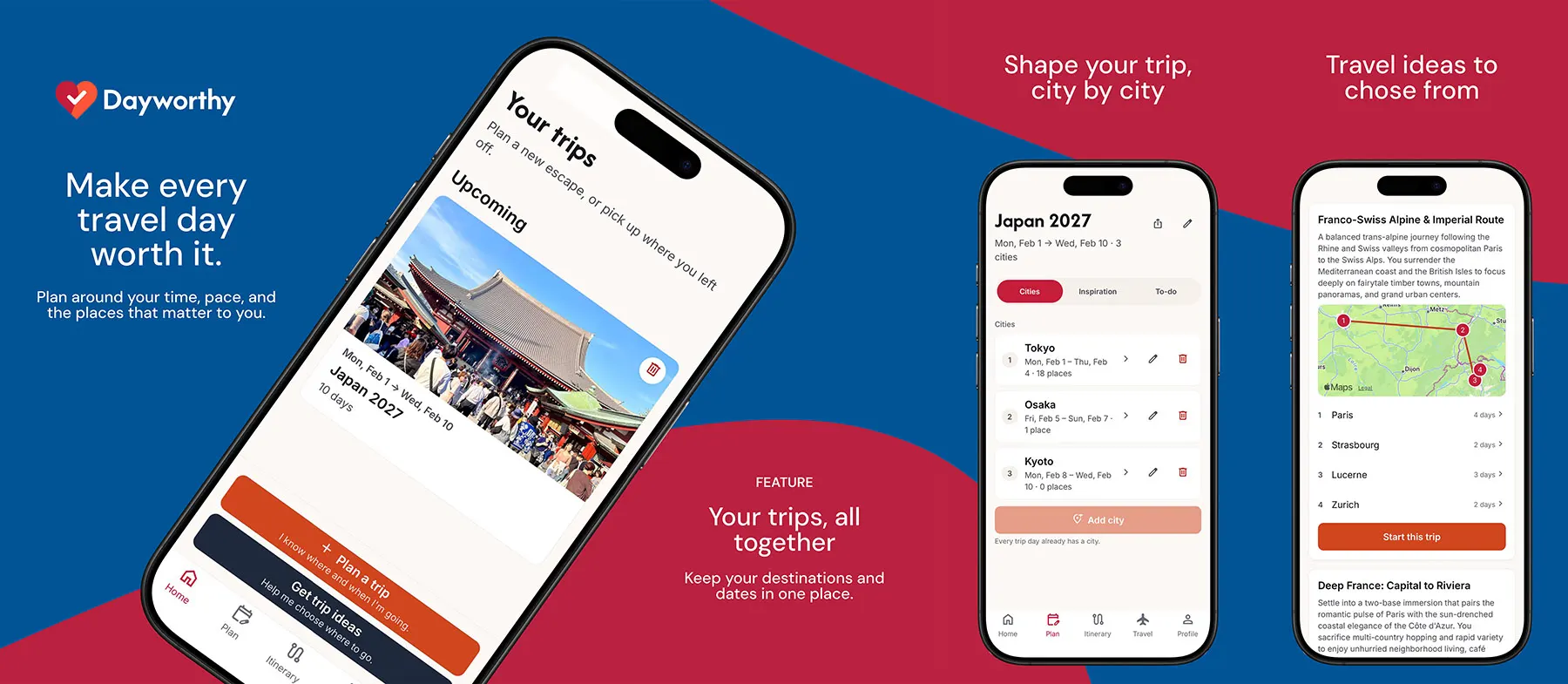
Dayworthy mobile app
The Dayworthy app for iPhone and Android, built to work with the product's existing system.
- Status
- Available on the App Store for iPhone and on Google Play for Android.
- Technology
- Expo, React Native, TypeScript
The Dayworthy mobile app puts trip planning on iPhone and Android. We designed and built it as the companion to the Dayworthy web application, which makes it a good example of adding a phone app to an existing product without building everything twice.
What it does
The app lets travellers plan and follow a trip from their phone: describe a trip, get a day-by-day plan, adjust it, and use it while travelling. It follows the web product’s layout, with five tabs: Home, Plan, Itinerary, Travel and Profile.
What we built
- A real phone app. One codebase for iPhone and Android, built with Expo and React Native.
- A client of the existing system. The app uses the same system and sign-in as the web app. There is no separate mobile system, and none of the trip-planning logic is rebuilt on the phone, so the app and the website behave the same way.
- One set of design rules. Colours, spacing and type all come from one shared set of values instead of being repeated across screens.
- Saved data on the phone. The app keeps a local copy of what it has already fetched, instead of asking for everything again.
Product decisions worth noting
- AI suggestions never change your plan by surprise. When you ask for a review of a day, you see the suggestions first, and nothing changes until you accept. Suggestions are applied completely or not at all.
- Location is approximate and optional. The app only sends a rough location and never gets stuck waiting for it. Without it, advice is based on the city.
- Advice is advice. When something is marked as skippable, it is shown calmly and you can undo it, because it is a suggestion, not a verdict.
- Directions go to Google Maps. The app helps you decide what to do, and Google Maps takes you there.
Engineering decisions worth noting
- The web app is the reference. The phone screens are built to match the working web product at phone size, instead of a separate design file that can drift out of date.
- Native where it matters. Details you read against the screen behind them, like a place’s details, slide up over your day. Forms get their own screens.
- Releases are deliberate. Every build, store submission and over-the-air update is a conscious decision, because it goes straight to testers’ phones.
Where it stands
The app is live on the App Store for iPhone and on Google Play for Android. It went through testing first: the early test versions for both phones went out in late August 2026, through Apple’s TestFlight and Google Play’s internal testing. We are not sharing usage numbers.